
Waves
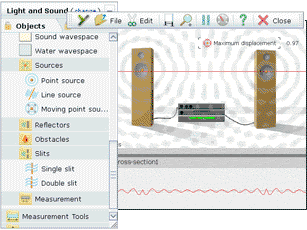
Yenka lets you take a top-down view of wave propagation, and study key phenomena – such as refraction, interference, diffraction and reflection – with water, sound or EM waves.
Point or plane wave sources, and a moving source whose velocity and bearing you can control, generate waves. You can also control the frequency, phase and amplitude of each source.
Add obstacles, reflectors and slits to investigate reflection, refraction, diffraction and interference. Position these components wherever you want, and control properties like size, orientation, damping, slit spacing and width, and the material from which each is made.
Optics
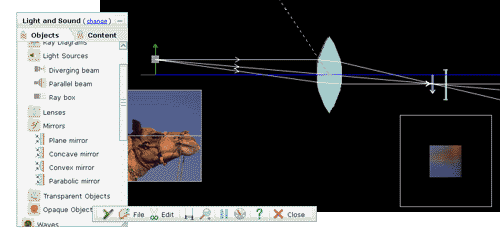
Yenka lets you simulate with a range of components including lenses, prisms, mirrors and light sources, and lets you model ray diagrams.
You can import your own images and investigate how they look when viewed in lenses in mirrors. As shown below, intensity and blurring are modelled.
The rays from the object are drawn as you simulate, letting you trace their path through the optical system.
Properties for all of the optical components can be changed, either by dragging with the mouse or by typing in new values. You can also position the components however you like – a true virtual workbench.
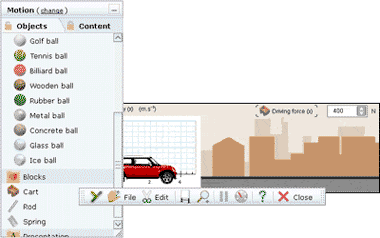
Add balls, blocks and carts, position them as you wish, and drop, accelerate or collide them.
Define parameters like mass, elasticity, coefficient of friction, dimensions, velocity and driving force, and add your own images to give context.
Attach rods and springs to investigate simple pendulums, spring oscillations, Hooke’s Law and rotational motion.
Add gravity to your simulations – you can set the strength of this field, and also the elasticity and friction of the ground.
You can graph the motion of your parts – plot a wide range of quantities, like velocity, momentum, kinetic and potential energy, or acceleration.
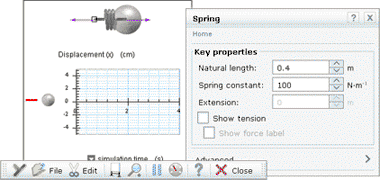
Force and motion
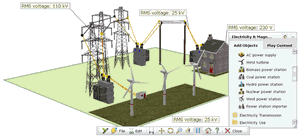
A range of simulated power stations lets you generate energy to supply your simulated grid.
Alternatively, study electromagnetic effects: move a magnet through a coiled wire, controlling the number of turns in the wire and the diameter of the coil.
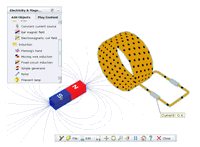
Power transmission
Connect a substation to your power station and choose the transformer ratio, and then connect it to the grid with power lines.
Investigate the effects of changing resistivity, cable diameter or length, and use aluminium high-voltage wires or copper low-voltage wires.
Finally, connect houses, factories or towns to your grid, to use the power you’re generating.