Programming
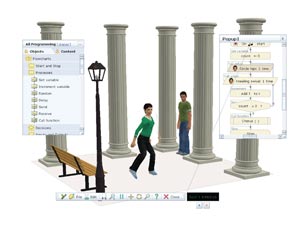
Yenka Programming allows you to introduce computer programming, by using simple flowcharts to control human characters or on-screen animations.
Its simple interface makes it suitable for primary school students. However, it’s flexible enough to use in secondary school, too.
Something a bit different, get them to make up dances… They could use the moves including the IF function to put together a dance routine, then construct the dance using the software.
Start your flowchart
Each character has many different actions, such as dance steps, movements and interactions. They can all be programmed using flowcharts.
Link commands as you wish, in any order, and edit settings with a click.
Test and refine
Yenka highlights and explains any problems as your program runs, and you can step through commands at your own pace.
Synchronise your dancers to music
Add a backing track for your characters to dance to – we’ve included 23 for you to choose from, or you can import your own tracks